Your Facebook ads have stopped and nobody has told you
By Tom McEwan · 8 August 2026
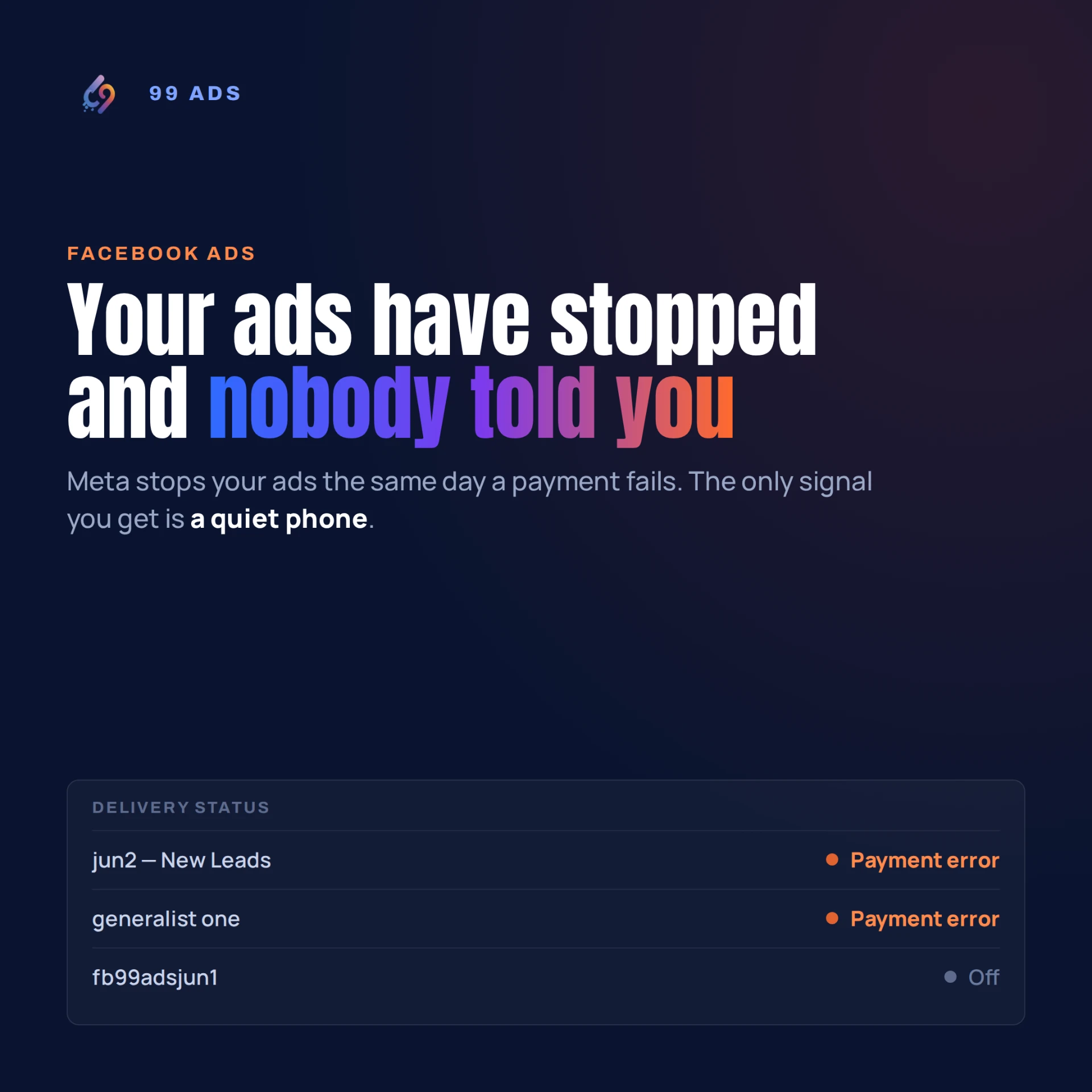
Last week I opened my own ad account and found two of my ads sitting there with a status I didn't put on them.
Not "Off". Not "Paused". Payment error.
Meta had stopped them. Not because they broke a rule, not because they stopped working — one of them was my best performer, 71 enquiries at £7.17 each — but because it tried to take a payment and couldn't.
Nobody rang me. Nobody texted me. There was an email somewhere in a folder I don't check. The ads just quietly stopped, and I carried on with my week assuming they were running.
I write about this stuff for a living and it still got me. So here's how it happens, why you probably won't notice, and what to do about it.
Why Meta stops your ads without telling you properly
Meta doesn't invoice you monthly like most suppliers. It bills you when you hit a spending threshold, and on a new account that threshold starts very low — often around £20 or £25.
So in your first week or two, Meta might try to take money from your card several times. Twenty pounds. Then another twenty. Then another.
That's where it goes wrong, and usually for one of these reasons:
- Your bank flags the repeat small transactions as suspicious and blocks them
- The card expired and you forgot, because it only gets used for this
- The account is on a debit card and there wasn't enough in it that morning
- You got a new card and updated it everywhere except here
Any of those and Meta stops your ads. Immediately. Not after a warning period — the same day.
Why you won't spot it
This is the part that catches people out.
When your ads stop, your phone goes quiet. That's it. That's the only signal you get.
And a quiet phone doesn't feel like a technical fault. It feels like the ads have stopped working. Or the market's gone quiet. Or it's the school holidays. Or that agency you're paying isn't doing much.
Nobody's first thought is "my card must have been declined eleven days ago." So the natural response is to sit tight and see if it picks up. Which it won't, because nothing is running.
I've seen business owners cancel a perfectly good campaign because of this. They didn't have a marketing problem. They had a billing problem that looked exactly like a marketing problem.
How long could it be off?
That's the bit that stings. There's no counter telling you how many days you've lost.
Work it out yourself. Take how many enquiries you normally get in a day, and multiply it by the days it sat there. In my case it was a handful of days, and the ad that stopped was averaging a couple of leads a day.
Those enquiries didn't get delayed. They went to whoever was still advertising.
The five-minute fix
Add a backup card. This is the whole answer, and almost nobody does it.
Go into Ads Manager, into Billing, into Payment settings, and add a second card. When the first one fails, Meta tries the second and your ads keep running. It takes about two minutes and it eliminates the problem more or less permanently.
If you only do one thing from this article, do that one.
Then check the rest:
- Look at your ad status properly. Don't just glance at whether the toggle is green. Read the Delivery column. "Active" is fine. "Payment error" or "Ad set may not deliver" is not.
- Check for an outstanding balance. If a payment failed, there's money owed. Clearing it is usually what restarts everything.
- Turn on the notifications. Meta will email you about billing failures if you let it — most people have those switched off or filtered into a folder they never open.
- Put a reminder in your phone for the same day each week. Sixty seconds, once a week: open the account, check the status, check the card hasn't expired. That's the entire routine.
What happens when you switch it back on
One thing worth knowing so you don't panic.
When an ad restarts after being off, Facebook doesn't pick up where it left off. It starts learning again from scratch. Which means the first few days back will probably look worse than the last few days before it stopped — higher cost per enquiry, fewer leads, all of it looking a bit rough.
That's normal and it recovers. The mistake is deciding the ad is broken and starting to fiddle with it. Every change you make during that period sets the learning back again.
Restart it, leave it alone for a week, then judge it.
What I've changed
Two things, and neither is clever.
I've got a backup card on my own account now. And I've added a payment status check to the weekly sweep I already run across every client account, alongside the usual delivery and spend checks.
That second one is the reason this only cost me a few days rather than a month. Not because I'm particularly organised — because a routine catches things that watching for them doesn't.
If your ads have gone quiet, check the billing before you change anything. It takes two minutes and it's the most common reason ads stop that has nothing to do with the ads.
I manage Facebook and Instagram ads for trades and small businesses across the UK. Everything is set up in your name from day one — the account, the data, the leads — so it's yours whatever happens next.
Get in touch